

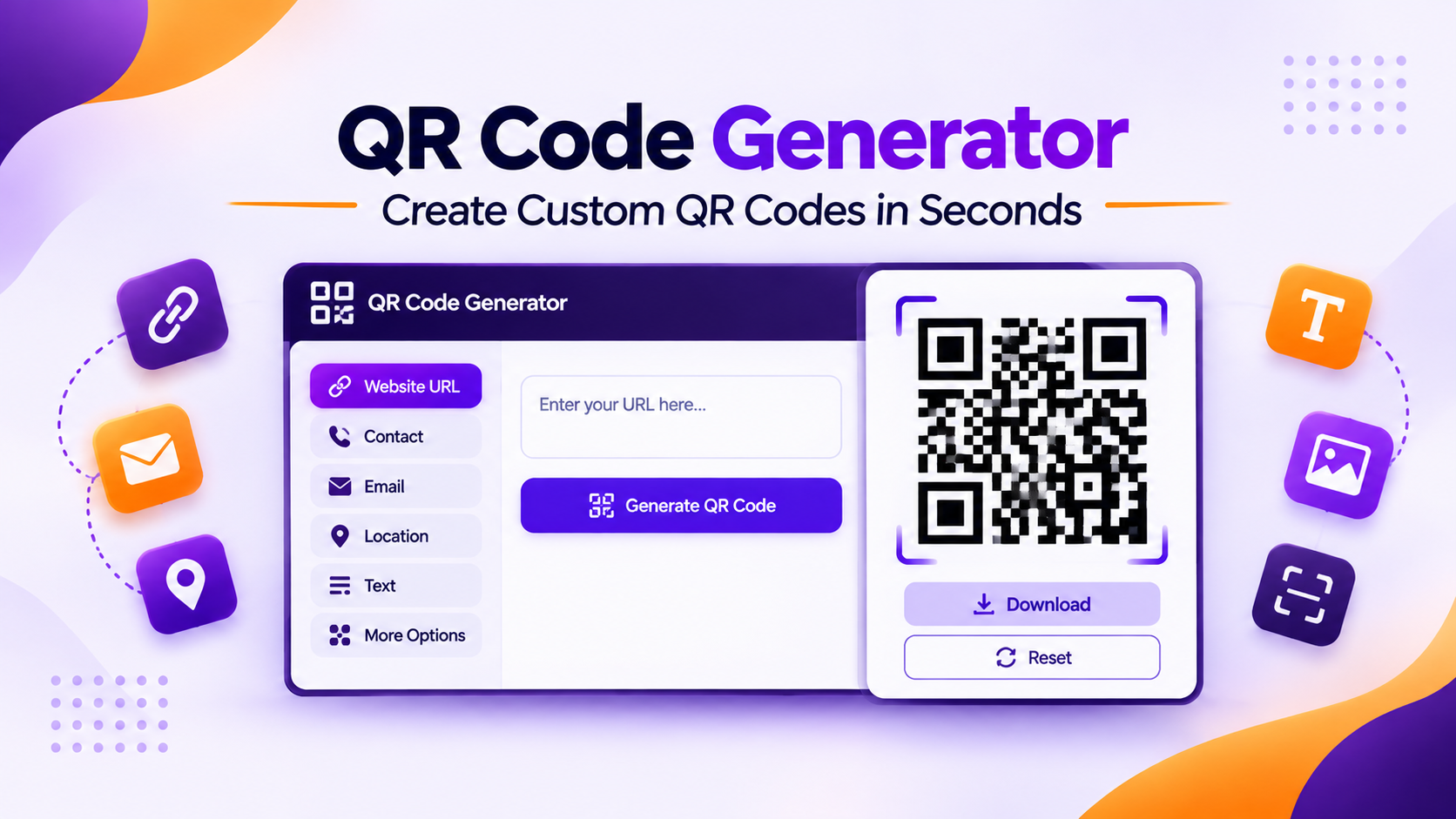
A QR Code Generator is a useful online tool for creating custom QR codes for websites, WiFi networks, social media accounts, email addresses, phone numbers, and contact details. QR codes make digital communication faster and easier by allowing users to scan a code with their smartphone camera instead of manually entering long website addresses or other information.
Our Advanced QR Code Maker offers a simple method to generate customized QR codes for many uses if you’re searching for a practical QR Code Generator. Websites, email addresses, phone numbers, SMS, WhatsApp, WiFi, YouTube, Instagram, Facebook, Twitter, LinkedIn, PayPal, vCard, Bitcoin, Skype, and Zoom may all have their QR codes generated.
What Is a QR Code Generator?
Quick Response is what QR stands for. QR codes use a two-dimensional design that may store data both horizontally and vertically, in contrast to regular barcodes that typically store data in a single direction.
A compatible smartphone or QR code scanning app can be used to scan a QR code once it has been generated. After reading the encoded data, the scanning device enables the user to access the related content.
By enabling users to input data, alter the design, create the code, and download the final image, a contemporary QR code maker streamlines this procedure.
Why Use Our Free QR Code Generator?
Making a QR code should be easy, accessible, and convenient. Several QR code generation options are combined into a single interface with our Advanced QR Code Maker.
Every QR code doesn’t have to be made by hand. Just choose the information type, fill in the necessary information, personalize the look, and create your QR code.
Use this online QR code generator for the following reasons:
- Make QR codes for many kinds of data.
- Create QR codes for websites using URLs.
- Make QR codes for your phone number and email address.
- Use QR codes to provide WiFi connection information.
- Create QR codes for well-known social networking networks.
- Change the background and foreground colors.
- Modify the size of the QR code.
- Set up the advanced settings for the QR code.
- Get QR codes in SVG, JPG, and PNG formats.
- Make QR codes using an easy-to-use UI.
QR Code Generator Features and Customization Options
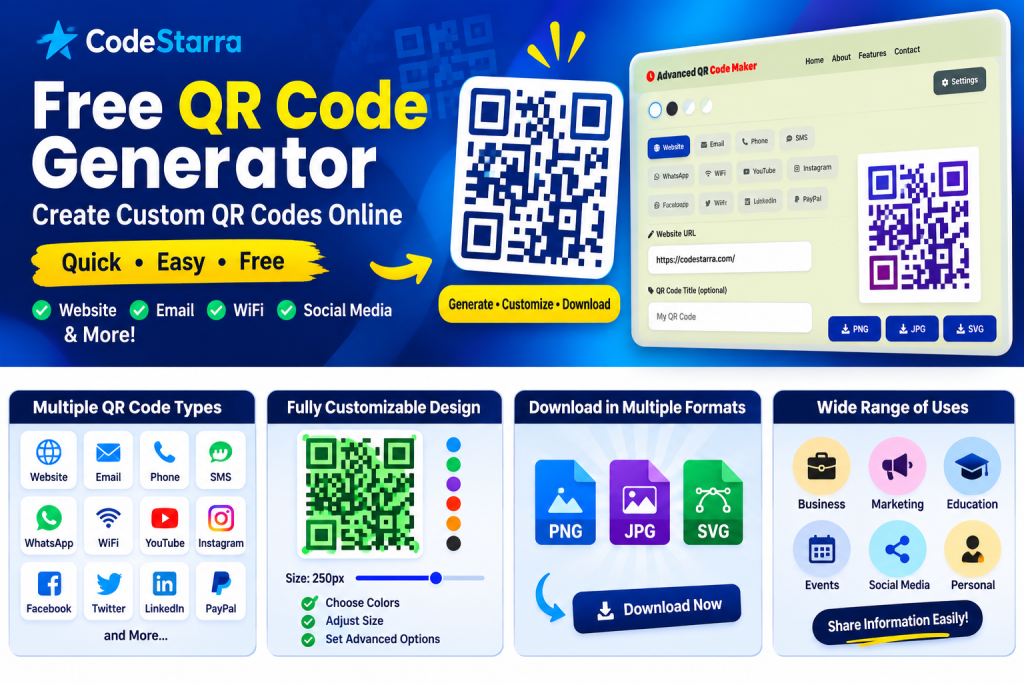
Several helpful tools that enable users to create and modify QR codes for various uses are included in our QR code maker.
QR Code Generator for Websites
Enter the URL of any website in the website area to generate a QR code. The encoded website address can be accessed by a device that scans the produced code.
Business websites, blogs, online stores, portfolios, landing pages, and promotional materials can all benefit from website QR codes.
QR Code Generator for Email
Create QR codes for email addresses. When you want to make email contact information more accessible without requiring users to manually type their email address, this option is helpful.
QR Code Generator for Phone Numbers
Make a QR code with your phone number on it. It might be helpful for printed contact materials, customer service information, and corporate contact details.
Generator for SMS QR Codes
Create QR codes for text message-related data using the SMS option. Sharing message details may become easier as a result.
QR Code Generator for WhatsApp
Make QR codes for information about WhatsApp. QR codes are a useful way for both people and businesses to access WhatsApp contacts.
QR Code Generator for WiFi
The WiFi QR code option facilitates the exchange of WiFi information. You can offer a scannable code with the pertinent information in place of manually sharing network specifics.
QR Code Generator for YouTube
Make QR codes for links on YouTube. This is helpful for sharing YouTube destinations, content, and video channels.
QR Code Generator for Instagram
To assist users in accessing your profile or other Instagram-related locations, create QR codes for Instagram links.
Facebook QR Code Creator
To generate QR codes for Facebook-related sites, use the Facebook option. They can be used in marketing materials by companies, artists, and community administrators.
Twitter QR Code Creator
Make Twitter profile or content links into QR codes to facilitate the sharing of your social media presence.
QR Code Generator for LinkedIn
Create QR codes for links connected to LinkedIn. They can be used by professionals to exchange professional information and profiles.
QR Code Generator for PayPal
Make QR codes for links and information about PayPal. When exchanging payment-related destinations, this can be helpful.
QR Code Generator for vCard
To create QR codes associated to contact cards, use the vCard option. It offers a practical method for handling digital contact data.
Bitcoin QR Code Creator
Make QR codes for information about Bitcoin. Sharing information about supported cryptocurrencies can be done with this option.
QR Code Generator for Skype
Make QR codes for links and information about Skype using the Skype option.
Zoom QR Code Creator
Create QR codes for Zoom-related links to facilitate the sharing of meetings and other Zoom locations.
Customize Your QR Code Design
It is not necessarily necessary for a QR code to have the conventional black-and-white appearance. You can customize the appearance of our unique QR code generator.
Customization of Foreground Color
Select a color for the QR code pattern’s foreground. To fit your website, brand identity, or design tastes, you can make a variety of color combinations.
Customization of Background Color
To make a unique QR code design, alter the backdrop color. You can try out various combinations of background and foreground.
Modification of QR Code Size
To change the dimensions of the QR code, use the size slider. Customizing the output dimensions is made easier by the UI, which shows the chosen size in pixels.
Several Color Presets
To instantly alter your QR code’s appearance without having to manually select each color, select from the available color presets.
Title of QR Code
To identify your created code, include an optional QR Code Title. When making QR codes for various projects or uses, this can be helpful.
Advanced QR Code Generator Settings
The application has an Advanced Settings section with a number of customization options for individuals that desire more design flexibility.
Error Correction Level
For your QR code, select an error correction setting. There is a Medium (15%) option in the viewable interface.
Depending on the chosen level and scanning circumstances, error correction helps QR codes stay visible when specific portions of the code are broken or obscured.
Customization of the Border Radius
Use the slider to change the border radius. This enables you to alter the outside styling of the QR code.
Adjusting the QR Margin
Use the margin slider to adjust the margin of the QR code. The margin contributes to the space surrounding the QR code.
Style of QR Code
From the style menu, choose the available QR code style. There is a Squares option in the viewable interface.
When producing QR codes for various graphic needs, these sophisticated choices offer more versatility.
Download QR Codes in PNG, JPG, and SVG Formats
Depending on your requirements, you can download your QR code in a variety of file formats after it has been generated.
Download the PNG QR Code
PNG is a widely used image format for digital graphics, documents, presentations, and websites. When you need an image file that is widely supported, go for PNG.
Download JPG QR Code
Another popular picture format that is helpful for distributing and incorporating QR codes into different digital items is JPG.
Download the SVG QR Code
Designs that need to scale to various sizes can benefit from the vector image format SVG. It can be especially useful for graphic design operations and printed items.
Users can utilize their created QR codes on many platforms with flexibility thanks to the availability of multiple download formats.
Where Can You Use QR Codes?
Numerous sectors and daily circumstances can benefit from QR codes. They are useful for a variety of users due to their capacity to link digital information with tangible items.
Business Cards
To make it simpler for customers to access your website or contact details, include QR codes on business cards.
Advertising and Marketing
To link consumers to internet content, incorporate QR codes into fliers, posters, banners, brochures, and other promotional items.
Cafes and Restaurants
To give users access to online menus, website details, and other digital resources, use QR codes.
Retail Outlets
To give buyers more information, use QR codes on product packaging, displays, and promotional materials.
Institutions of Higher Learning
Teachers and educational institutions can employ QR codes to provide pupils with educational materials, websites, and helpful information.
Conferences and Events
Attendees can use QR codes to access meeting links, event details, and other pertinent web resources.
Promotion on Social Media
Use QR codes to share content on Facebook, Instagram, YouTube, LinkedIn, and other social media platforms.
For Individual Use
Make QR codes for personal websites, contact details, WiFi information, and other forms of information that are supported.
Who Can Benefit from an Online QR Code Builder?
Our QR code generator is appropriate for a variety of user categories.
- Owners of businesses: should make QR codes for their websites, contact details, and marketing materials.
- Digital marketers: Use print and digital advertising to promote online locations.
- Content Producers: Make links to social media and YouTube more accessible.
- Freelancers: Provide contact details and professional websites.
- Students: Make QR codes for presentations and educational projects.
- Event planners: Distribute links and details about the event.
- Designers: For design projects, designers can get QR codes in various formats.
- Common Users: Create QR codes for useful and private uses.
Tips for Creating Scannable QR Codes
It should be simple to scan a well-designed QR code. While customization can be helpful, readability should always come first.
Maintain Good Color Contrast
Select colors for the background and foreground that offer distinct contrast. Steer clear of combinations that make it hard to tell the QR code apart from its surroundings.
Don’t Make Too Many Design Changes
Customization possibilities are helpful, but designs that are too complex could compromise scanner accuracy.
Choose the Correct Size
Verify that the QR code is large enough for the purpose for which it is intended. A code displayed on a small digital graphic could require different dimensions than one printed on a poster.
Keep Sufficient Margin
To enable scanning devices to recognize the boundaries of your QR code, leave a clear gap around it.
Test Before Sharing
Always scan your QR code after downloading it. Before printing or sharing it, test it on a smartphone.
Select the Appropriate File Format
For ordinary picture applications, use PNG or JPG; for scalable vector artwork, use SVG.
Why Choose Our Free QR Code Generator?
Multiple QR code kinds and customization possibilities are combined into a single, user-friendly interface with our Advanced QR Code Maker.
You can create QR codes for websites, email, phone numbers, SMS, WhatsApp, WiFi, social media platforms, and more from a one location rather than using separate tools for different applications.
Additional freedom is offered by the advanced options, color customization, size adjustment, and PNG, JPG, and SVG downloads.
This application provides a handy place to start if you’re looking for a free QR code creator, a QR builder for your company, or an online QR code generator for daily usage.