


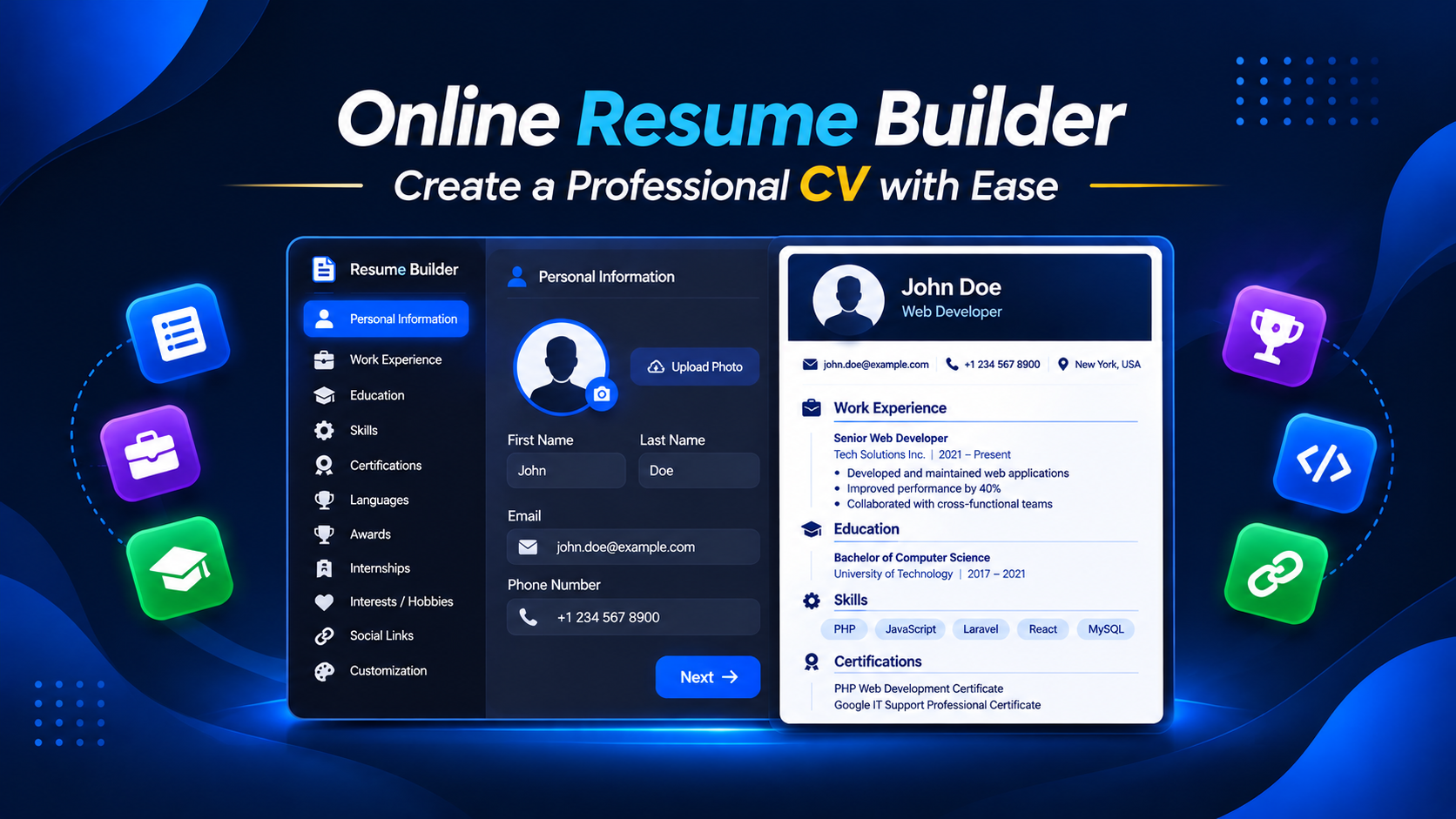
When applying for a job, internship, or new career opportunity, creating a professional resume is a crucial step. Our Online Resume Builder makes it easier to organize your qualifications, work experience, education, and skills into a well-structured CV. Instead of creating a resume from scratch, you can save time with an easy-to-use tool featuring professional formatting and a live preview.
With the Codestarra Online Resume Builder, you can showcase your talents, add your professional experience, arrange your personal information, and personalize your CV utilizing an intuitive resume generation interface. As you work, you can see how your information appears thanks to the integrated live preview.
What Is an Online Resume Builder?
With the aid of an online resume builder, users can organize and produce professional resumes without having to start from scratch.
You may enter your information into specific parts, alter the design, and watch a live preview of your resume instead of fumbling with layouts and formatting.
Personal information, professional experience, education, talents, certifications, languages, awards, internships, interests, and social connections are all covered in separate areas of the Codestarra Resume Maker.
Key Features of Online Resume Builder
Our CV Maker has practical features that facilitate the generation and customization of resumes.
Personal Data and Profile Picture
Add your essential personal information first. You can enter the following in the personal information section:
- First name and last name
- Email address
- Phone number with country code
- ID card number
- Passport number
- Address
- Nationality
- Profile photo
To make it simple to examine crucial information, you can arrange your contact details in one location.
Live Preview of a Resume
This Professional Resume Builder’s live preview panel is one of its helpful features.
You can see how your resume is organized in the preview section as you enter your details. This enables you to go over your information and comprehend how various sections show up in the finished style.
While creating your CV, you can review your personal details, work experience, education, abilities, and other parts.
Include Your Professional Experience
Employers can learn more about your professional background and prior duties from your job history.
You can include the following in the work experience section:
- Name of the company
- Position of employment
- Date of start
- Final date
- Current job opportunity
- Description of the job
You can also add multiple work experiences to present your professional journey more clearly.
Describe Your Educational History
For students and recent graduates in particular, education is a crucial component of a professional resume.
Add your academic details, such as:
- A degree or certification
- Name of the institution
- Study time
- GPA or grades
Your academic accomplishments can be presented in an orderly manner with the aid of the education section.
Develop and Tailor Skills
Use the specialized talents section to showcase your technical and professional skills.
You can add specific abilities to your resume by entering them. For instance:
- Development of Websites
- Visual Design
- Online Advertising
- Communication Proficiency
- Management of Projects
- Development of Software
It is simpler to highlight skills related to the job you are applying for in this section.
Extra Sections for the Resume
Personal information and work experience may not be the only requirements for a professional CV. Additional areas are included in the Codestarra CV Creator to assist you in giving a more comprehensive summary of your experience.
These sections consist of:
Certifications: Include credentials and professional certifications.
Languages: List the languages you are able to speak.
Awards: Emphasize honors and accomplishments.
Internships: Incorporate training and experience from internships.
Hobbies and Interests: Include pertinent hobbies and interests.
Social connections: Provide connections to your website and other reputable websites.
Additionally, you have control over which portions show up on your CV.
Resume Sections: Show or Hide
Not all resumes require the same details. While an established professional could concentrate more on work experience and skills, a student might prefer to emphasize schooling and internships.
You can choose which sections of your resume to display by using the Show/Hide Sections function.
This keeps your resume concentrated on the most important details.
Personalize the Font and Colors
Your resume should be visually appealing and simple to read. You can change how it looks using the customization panel.
Among the choices for customisation are:
- Several options for accent colors
- Choice of font family
- Various possibilities for visual styling
To make your resume look unique, you can select an appropriate accent color and font family.
Section Ordering with Drag-and-Drop
The resume sections can be rearranged using the drag-and-drop tool.
Sections like Personal Information, Experience, Education, Skills, and Additional Sections can be rearranged to suit your tastes.
This is useful for organizing your CV for a particular job application or highlighting specific qualifications.
Who Can Use This CV Maker?
A variety of users can benefit from the Codestarra Online Resume Builder.
Students: Write a resume that highlights your education, accomplishments in school, abilities, and hobbies.
New graduates: When applying for your first job, arrange your credentials, internships, certifications, and technical skills.
Experienced Professionals: Describe your prior job, duties, accomplishments, and professional background.
Job Seekers: For various work prospects, arrange crucial career information into a structured CV.
Freelancers: Emphasize your expertise, experience, projects, and pertinent web profiles.
Benefits of Using an Online CV Maker
The process of preparing a resume can be organized by using an online CV builder.
Among the significant advantages are:
- Entering personal and professional data is simple.
- specific sections for various aspects of the resume.
- preview in real time when entering data.
- Section ordering is flexible.
- choices to display or conceal particular elements.
- customization with fonts and colors.
- support for a variety of credentials and work experiences.
- An easy method to arrange career data.
How to Create a Resume Online
Use the Codestarra Resume Builder to arrange your CV by following these easy steps.
Step 1: Enter your personal data
Include your name, address, phone number, email address, nationality, and any other pertinent information. A profile picture is another option.
Step 2: Include Work Experience
Enter the name of your company, the job description, the work position, and the dates of employment. When necessary, add more experience entries.
Step 3: Enter Your Educational Information
Add your degree, school, dates of study, and academic standing.
Step 4: Include Certifications and Skills
Emphasize your expertise and provide a list of pertinent qualifications.
Step 5: Finish Any Remaining Sections
When appropriate, include languages, honors, internships, hobbies, and social connections.
Step 6: Tailor Your CV
Choose a font family and accent color. To put the sections in the order you choose, use the drag-and-drop feature.
Step 7: Examine the Live Preview
Make sure your resume is appropriately organized by reviewing the details and section layout in the live preview.
Tips for Creating a Professional Resume
A strong CV should be understandable, pertinent, and unambiguous. When creating your resume, keep the following advice in mind:
- Make use of a business email address.
- Provide precise contact details.
- Emphasize your job-related talents.
- Compose concise and insightful job descriptions.
- Add any pertinent training and credentials.
- Steer clear of superfluous personal details.
- Maintain uniformity in the section headings.
- Before sending in your resume, check your grammar and spelling.
- Put your most pertinent credentials in a prominent position.
Why Choose Codestarra Online Resume Builder?
Codestarra offers useful digital solutions that are intended to simplify daily work. Its Online Resume Builder combines a live preview, customization choices, and key resume parts into a single interface.
You can change the look and arrangement of your resume while arranging your accomplishments, career experience, academic background, talents, and personal information.
This tool offers a practical place to start when arranging your career information, whether you are creating your first CV or upgrading an already-existing professional profile.
amazing